Barcode Generator – Create Custom Barcodes Online
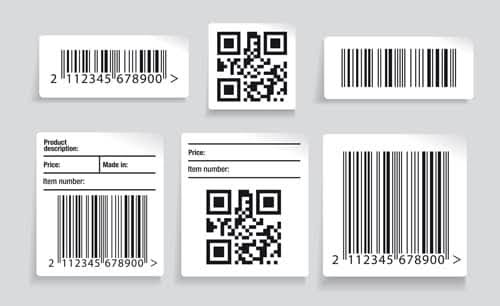
Barcode Generator – Create Custom Barcodes Online: Powerful 7 Ways to Generate Better Barcodes
A Barcode Generator is an online tool that lets you create custom barcodes quickly for products, inventory, documents, labels, events, and other applications. Instead of designing barcode patterns manually, you can enter your information and generate a machine-readable barcode in seconds.
Barcodes are widely used in retail, warehouses, libraries, shipping, healthcare, manufacturing, and e-commerce. They help businesses identify products, track inventory, organize records, and speed up everyday operations. With an online Barcode Generator, even beginners can create barcode images without specialized software.
This complete guide explains what a barcode is, how barcode generators work, the most common barcode formats, seven practical ways to use them, common mistakes to avoid, and how to create a custom barcode online.
Outline
| Section | Topic |
|---|---|
| 1 | What Is a Barcode Generator? |
| 2 | What Is a Barcode? |
| 3 | How Does a Barcode Work? |
| 4 | Common Types of Barcodes |
| 5 | Linear vs. 2D Barcodes |
| 6 | Why Use an Online Barcode Generator? |
| 7 | 7 Powerful Ways to Use a Barcode Generator |
| 8 | Create Product Barcodes |
| 9 | Generate Inventory Barcodes |
| 10 | Create Shipping and Tracking Labels |
| 11 | Barcode Generators for Small Businesses |
| 12 | Barcode Generator for E-Commerce |
| 13 | How to Create a Barcode Online |
| 14 | Barcode Design and Printing Tips |
| 15 | Common Barcode Generation Mistakes |
| 16 | Barcode Generator vs. QR Code Generator |
| 17 | Barcode Data and Security |
| 18 | Best Practices for Custom Barcodes |
| 19 | Frequently Asked Questions |
| 20 | Conclusion |
What Is a Barcode Generator?
A Barcode Generator is a software tool or online utility that converts information into a barcode that can be scanned by compatible devices.
Depending on the selected barcode format, the input may contain numbers, letters, or other supported characters. The generator processes the information according to the rules of the selected barcode standard and produces a visual barcode.
For example, a business may enter an inventory number such as:
INV-2026-00125
The generator can convert that value into a barcode image. A scanner can then read the barcode and return the encoded information.
What Can a Barcode Generator Create?
Depending on the tool, you may be able to generate formats such as:
- Code 128
- Code 39
- EAN-13
- EAN-8
- UPC-A
- ITF-14
- Codabar
- MSI
- GS1-related formats
- Other specialized barcode formats
Not every generator supports every format, so choosing the correct barcode type is important.
Why Generate Barcodes Online?
Online barcode tools can make the process faster and easier.
You usually don’t need to:
- Install desktop software
- Draw barcode patterns manually
- Learn barcode encoding formulas
- Configure complex design software
- Build barcode-generation code
Instead, you enter your information, choose a barcode type, and generate the result.
What Is a Barcode?
A barcode is a machine-readable representation of information.
Traditional one-dimensional barcodes use combinations of dark bars and light spaces. The width and arrangement of these elements represent encoded information.
A barcode scanner uses light or imaging technology to read the pattern and translate it into data.
The information might represent:
- Product numbers
- Inventory IDs
- Serial numbers
- Shipment references
- Membership IDs
- Document numbers
- Asset identifiers
A barcode usually works as an identifier rather than storing large amounts of descriptive information.
Barcode Example
A simple barcode may represent a value such as:
123456789012
The barcode itself doesn’t necessarily display the meaning of that number. Instead, a connected database or software system can use the scanned value to retrieve additional information.
For example:
Scan barcode → Receive product ID → Search database → Display product information
This makes barcodes especially useful for inventory and retail systems.
How Does a Barcode Work?
A barcode works by encoding data into a standardized visual pattern.
The process can be simplified into several stages.
Step 1: Enter Data
The user provides information such as a product code, item number, or reference ID.
Step 2: Select Barcode Format
The appropriate barcode symbology is selected.
Different barcode types have different rules for the data they can encode.
Step 3: Encode the Information
The generator converts the input into the required barcode pattern.
Step 4: Generate the Image
The encoded pattern is rendered as an image or vector graphic.
Step 5: Scan the Barcode
A compatible scanner or camera reads the barcode and converts it back into machine-readable information.
Step 6: Process the Data
The connected application uses the scanned value to perform an action.
For example, an inventory application might locate a product record after scanning its barcode.
Common Types of Barcodes
Choosing the right barcode format is one of the most important parts of barcode generation.
Different industries use different standards.
Code 128
Code 128 is a high-density linear barcode that can encode letters, numbers, and various characters.
It’s commonly used for:
- Inventory
- Logistics
- Shipping
- Internal product identification
- Warehouse management
Its flexibility makes it a popular choice for business applications.
Code 39
Code 39 is another widely recognized linear barcode format.
It’s commonly used for:
- Industrial applications
- Asset tracking
- Identification systems
- Internal inventory
It supports letters and numbers within its defined character set.
UPC-A
UPC-A is strongly associated with retail products in the United States and Canada.
It uses a standardized numeric structure and is commonly seen on consumer product packaging.
EAN-13
EAN-13 is widely used for identifying retail products internationally.
It contains 13 digits and is commonly printed on product packaging.
EAN-8
EAN-8 is a shorter retail barcode designed for products where packaging space is limited.
ITF-14
ITF-14 is commonly associated with shipping containers and trade items.
It’s useful for applications where products need to be identified during distribution.
Linear vs. 2D Barcodes
Barcodes can generally be divided into two broad categories: one-dimensional and two-dimensional.
| Feature | Linear Barcode | 2D Barcode |
|---|---|---|
| Structure | Lines and spaces | Patterns or modules |
| Data capacity | Usually lower | Usually higher |
| Example | Code 128 | QR Code |
| Common use | Products and inventory | Links, records, payments, information |
| Scanning | Usually scanner | Camera or imaging scanner |
Traditional barcodes are often ideal when a simple identifier is all that’s required.
Two-dimensional codes can store more information and are useful when the application requires additional data.
Should You Use a Barcode or QR Code?
The answer depends on the purpose.
Use a traditional barcode when you need a compact identifier for:
- Products
- Inventory
- Assets
- Shipping
- Retail
A QR code may be more appropriate when you want users to access:
- Websites
- Contact information
- Digital menus
- Applications
- Text
- Other structured data
Why Use an Online Barcode Generator?
An online Barcode Generator offers several practical advantages.
Fast Creation
You can create a barcode in seconds.
Easy to Use
Most tools require only basic information.
No Specialized Knowledge
You don’t need to understand the mathematical details behind barcode encoding.
Multiple Formats
Many generators support several popular barcode types.
Custom Output
Some tools allow users to adjust dimensions, text, resolution, and file format.
Convenient for Small Businesses
Small businesses can create internal inventory labels without investing in expensive barcode software.
7 Powerful Ways to Use a Barcode Generator
A barcode generator can support many everyday business and organizational tasks.
Here are seven useful applications.
1. Create Product Barcodes
Retailers and manufacturers use barcodes to identify products.
A barcode can represent a standardized product identifier or an internal SKU.
When a product is scanned, the system can retrieve its associated information.
A product database may include:
| Field | Example |
|---|---|
| Product ID | 100245 |
| SKU | SHOE-BLK-42 |
| Product Name | Black Running Shoes |
| Price | $49.99 |
| Stock | 35 |
The barcode doesn’t need to contain all these details. It can simply identify the product record.
2. Generate Inventory Barcodes
Inventory management is one of the most practical uses of barcode technology.
Businesses can assign unique IDs to:
- Products
- Boxes
- Shelves
- Equipment
- Office assets
- Raw materials
Employees can scan items instead of typing long identification numbers manually.
This can reduce data-entry time and help prevent typing mistakes.
3. Create Shipping and Tracking Labels
Barcodes are commonly used in logistics and shipping.
A barcode can represent information associated with a package, shipment, or internal tracking reference.
A shipping workflow may look like:
Create shipment → Assign ID → Generate barcode → Print label → Scan package → Update tracking system
This makes it easier to track packages as they move through different stages.
4. Manage Business Assets
Businesses often own equipment such as:
- Computers
- Printers
- Furniture
- Tools
- Cameras
- Machinery
An internal asset ID can be converted into a barcode and attached to the item.
When employees perform an audit, they can scan each asset and quickly retrieve its record.
5. Organize Documents
Barcodes aren’t limited to physical products.
Organizations can use barcodes to identify:
- Files
- Forms
- Applications
- Records
- Folders
- Internal documents
For example, a document could receive a unique reference number that is printed as a barcode on its cover.
6. Create Event or Membership IDs
Businesses, clubs, and organizations can use barcodes on:
- Event badges
- Membership cards
- Visitor passes
- Loyalty cards
- Registration documents
The barcode can contain a unique participant or membership identifier.
A connected system can then retrieve the person’s information when the code is scanned.
7. Build Custom Business Workflows
A Barcode Generator can also support specialized internal workflows.
For example, a repair company could assign each service order a unique barcode.
The workflow might be:
Customer order → Service ID → Barcode → Scan at each stage → Update status
This provides a simple way to connect physical items with digital records.
Create Product Barcodes
Product barcodes are one of the most recognizable barcode applications.
However, businesses should distinguish between an internal barcode and an officially assigned retail product identifier.
If a product needs to be sold through systems that require standardized product identification, the business should use the appropriate official identification process rather than simply generating a random number.
Internal Product Barcodes
For internal use, a company can often create its own numbering system.
For example:
PROD-0001PROD-0002PROD-0003
These values can then be converted into a suitable barcode format.
The important part is making sure the numbers are unique within the system.
Generate Inventory Barcodes
Inventory barcodes can make stock management more efficient.
Instead of manually entering a product ID, an employee can scan a barcode.
This is useful during:
- Stock counting
- Receiving
- Picking
- Packing
- Returns
- Transfers
- Audits
Barcode Inventory Workflow
A basic inventory workflow can look like this:
- Create unique inventory IDs.
- Generate barcodes.
- Print barcode labels.
- Attach labels to items.
- Store IDs in the inventory system.
- Scan items during stock operations.
- Update inventory records.
The barcode is simply the bridge between the physical item and its digital record.
Barcode Generator for Small Businesses
Small businesses often don’t need complicated enterprise barcode systems.
An online generator can be useful for creating simple labels for internal operations.
For example, a small warehouse may need barcodes for:
- Storage bins
- Product SKUs
- Shelves
- Packages
- Returns
- Equipment
A business can generate these labels as needed and print them on compatible label sheets.
Benefits for Small Businesses
Using barcodes can help:
- Reduce manual entry
- Speed up inventory checks
- Organize products
- Improve record keeping
- Simplify stock audits
- Reduce identification errors
However, the barcode system should be planned before generating hundreds of labels.
Barcode Generator for E-Commerce
E-commerce businesses frequently manage large product catalogs.
A barcode can connect a physical product to its digital listing or inventory record.
This can be useful when processing:
- Orders
- Returns
- Stock
- Warehouse transfers
- Product receiving
- Product picking
SKU vs. Barcode
An SKU and a barcode aren’t exactly the same thing.
An SKU is usually an internal stock-keeping identifier created by a business.
A barcode is a machine-readable representation of data.
For example:
SKU: TSHIRT-BLK-L
The business could encode that identifier into a suitable barcode for internal use.
This can make scanning easier while keeping the SKU as the underlying business identifier.
How to Create a Barcode Online
Creating a custom barcode is usually simple.
Step 1: Choose the Barcode Type
Select the barcode symbology that matches your intended use.
For example, Code 128 may be suitable for an internal alphanumeric inventory ID.
Step 2: Enter Your Data
Type or paste the information you want to encode.
Avoid accidental spaces or incorrect characters.
Step 3: Configure the Barcode
Depending on the tool, you may be able to customize:
- Width
- Height
- Resolution
- Human-readable text
- Margins
- Output format
Step 4: Generate the Barcode
Click the generate button.
The tool converts the input into the appropriate barcode pattern.
Step 5: Test the Barcode
Before printing a large batch, scan the generated barcode.
Testing is essential because a barcode that looks correct may still fail to scan under certain conditions.
Step 6: Print or Save
Save the barcode in an appropriate format and print it on a suitable label or document.
Barcode Design and Printing Tips
Generating the barcode is only one part of the process.
The final printed barcode must also be easy for scanners to read.
Use Adequate Size
Don’t make a barcode unnecessarily tiny.
The required dimensions depend on the barcode standard and scanning environment.
Maintain Clear Contrast
Traditional barcodes usually need strong contrast between the bars and background.
Protect the Quiet Zone
Many barcode formats require clear space around the barcode.
Don’t place text, graphics, or borders too close to the encoded area.
Use High-Quality Output
Low-resolution images may produce blurry edges.
For professional printing, vector output can be useful when supported.
Test Printed Copies
Always test a physical sample before producing hundreds or thousands of labels.
A barcode that scans perfectly on a monitor may behave differently after printing.
Common Barcode Generation Mistakes
Several problems can make a barcode difficult or impossible to scan.
Choosing the Wrong Barcode Type
Not every barcode format supports every type of data.
Choose the format based on the application.
Using Random Product Numbers
If you’re creating official retail product identifiers, don’t simply invent numbers.
Follow the relevant identification standards.
Making the Barcode Too Small
Small barcodes may become difficult to scan.
Removing Required Margins
The clear space surrounding a barcode can be important for reliable scanning.
Using Poor Print Quality
Blurred or distorted barcodes can cause scanning problems.
Failing to Test
Never assume a generated barcode will work perfectly without scanning it.
Encoding Unnecessary Information
For many applications, the barcode only needs to contain a unique identifier.
Keeping the encoded value simple can make database management easier.
Barcode Generator vs. QR Code Generator
Both tools create machine-readable codes, but they serve different purposes.
A traditional barcode is often better for product and inventory identification.
A QR code is more suitable for storing or connecting to larger amounts of digital information.
| Use Case | Barcode | QR Code |
|---|---|---|
| Retail product ID | Excellent | Possible |
| Inventory ID | Excellent | Possible |
| Website URL | Limited | Excellent |
| Contact information | Limited | Excellent |
| Shipping | Excellent | Possible |
| Digital menu | Limited | Excellent |
| Asset tracking | Excellent | Excellent |
| Large data storage | Limited | Better |
The best choice depends on what you want the code to accomplish.
Barcode Data and Security
A barcode isn’t automatically a secure data-storage system.
If a barcode contains a simple identifier, anyone with a compatible scanner may be able to read that identifier.
Therefore, don’t assume that encoding information in a barcode makes it private.
Use IDs Instead of Sensitive Data
For sensitive workflows, it may be better to encode a random reference ID rather than personal or confidential information.
For example, instead of encoding:
Customer Name + Address + Phone Number
you could encode:
CUSTOMER-847291
The application can then retrieve protected information from a secure database.
This approach can reduce the amount of sensitive information exposed by the physical barcode.
Best Practices for Custom Barcodes
Follow these practices when creating your own barcodes.
1. Choose the Correct Symbology
Select a format that supports your data and intended application.
2. Use Unique Identifiers
Don’t assign the same internal identifier to multiple unrelated products.
3. Keep Data Consistent
Use a predictable naming system for inventory and assets.
4. Test Before Mass Printing
Scan a sample barcode before creating a large batch.
5. Store the Original Data
Keep a database containing the value encoded in each barcode.
6. Use Good Printing Quality
Clear, high-resolution output improves scanning reliability.
7. Keep Barcodes Accessible
Place labels where scanners can easily see them.
8. Don’t Encode Sensitive Information Unnecessarily
Use reference identifiers when possible.
9. Maintain a Backup
Keep a digital copy of your barcode data and numbering system.
10. Review Barcode Standards
For commercial and regulated applications, follow the relevant industry standards rather than relying only on a generic generator.
Benefits of Using a Barcode Generator Online
An online Barcode Generator can provide a simple solution for many barcode-related tasks.
Quick
Generate codes in seconds.
Convenient
Use the tool directly from a web browser.
Flexible
Select from multiple supported barcode types.
Affordable
Small businesses can avoid expensive specialized software for basic internal requirements.
Beginner-Friendly
The interface typically requires little technical knowledge.
Useful for Testing
Developers and businesses can create test barcodes before implementing a larger system.
Frequently Asked Questions About Barcode Generators
What is a Barcode Generator?
A Barcode Generator is an online or software-based tool that converts information into a machine-readable barcode.
Can I create a barcode online for free?
Yes. Many online barcode generators provide basic barcode creation without requiring specialized software.
What information can I put in a barcode?
The information depends on the barcode type. Some formats support numbers only, while others can encode letters and additional characters.
Which barcode type should I use?
It depends on your purpose. Code 128 is often useful for internal alphanumeric identifiers, while EAN and UPC formats are commonly associated with retail products.
Can I create a barcode for an SKU?
Yes. An SKU can be encoded into a suitable barcode format when the barcode type supports the characters used in the SKU.
Can I print a barcode after generating it?
Yes. You can generally save or export the generated barcode and print it on labels, documents, packaging, or cards.
Why won’t my barcode scan?
Possible causes include low image quality, insufficient size, poor contrast, incorrect dimensions, damaged printing, inadequate quiet zones, or an unsuitable barcode format.
Can a barcode contain a website URL?
Some barcode formats can encode text or URLs, but QR codes are generally more suitable for website links because they can store more data efficiently.
Are barcodes unique?
The barcode pattern represents the encoded data, so uniqueness depends on the underlying identifier system. Simply generating a barcode doesn’t automatically make the underlying number globally unique.
Can I create product barcodes myself?
You can create internal product barcodes, but official retail product identification may require numbers obtained through the appropriate standards organization or system.
What’s the difference between a barcode and an SKU?
An SKU is an inventory identifier created by a business, while a barcode is a machine-readable representation of data. An SKU can be encoded into a barcode for easier scanning.
Can barcodes store customer information?
Some barcode formats can store text, but storing sensitive personal information directly in a barcode isn’t always a good idea. A unique reference ID connected to a secure database is often safer.
Can I use a barcode generator for inventory?
Yes. Inventory management is one of the most common uses for custom barcodes. You can assign identifiers to products, bins, assets, or other inventory items.
Do I need special software to generate a barcode?
Not necessarily. An online Barcode Generator can create many common barcode formats directly in a web browser.
Conclusion
A Barcode Generator provides a fast and practical way to create custom barcodes for products, inventory, shipping, assets, documents, events, and internal business systems. By converting identifiers into machine-readable patterns, barcodes can reduce manual data entry and make everyday workflows more efficient.
The key to successful barcode generation isn’t simply creating an image. You also need to choose the correct barcode format, use appropriate identifiers, maintain sufficient size and contrast, and test the final printed result.
For small businesses, online sellers, warehouses, developers, and organizations, an online barcode tool can be a convenient starting point. For standardized retail, shipping, or regulated applications, however, it’s important to follow the relevant industry requirements.
Whether you’re creating a single test barcode or preparing hundreds of inventory labels, a reliable Barcode Generator can simplify the process. Enter your data, select the appropriate format, generate the barcode, test it, and you’re ready to use it in your workflow.